

Giving payouts in QuickBooks, tied to the bank to the penny.
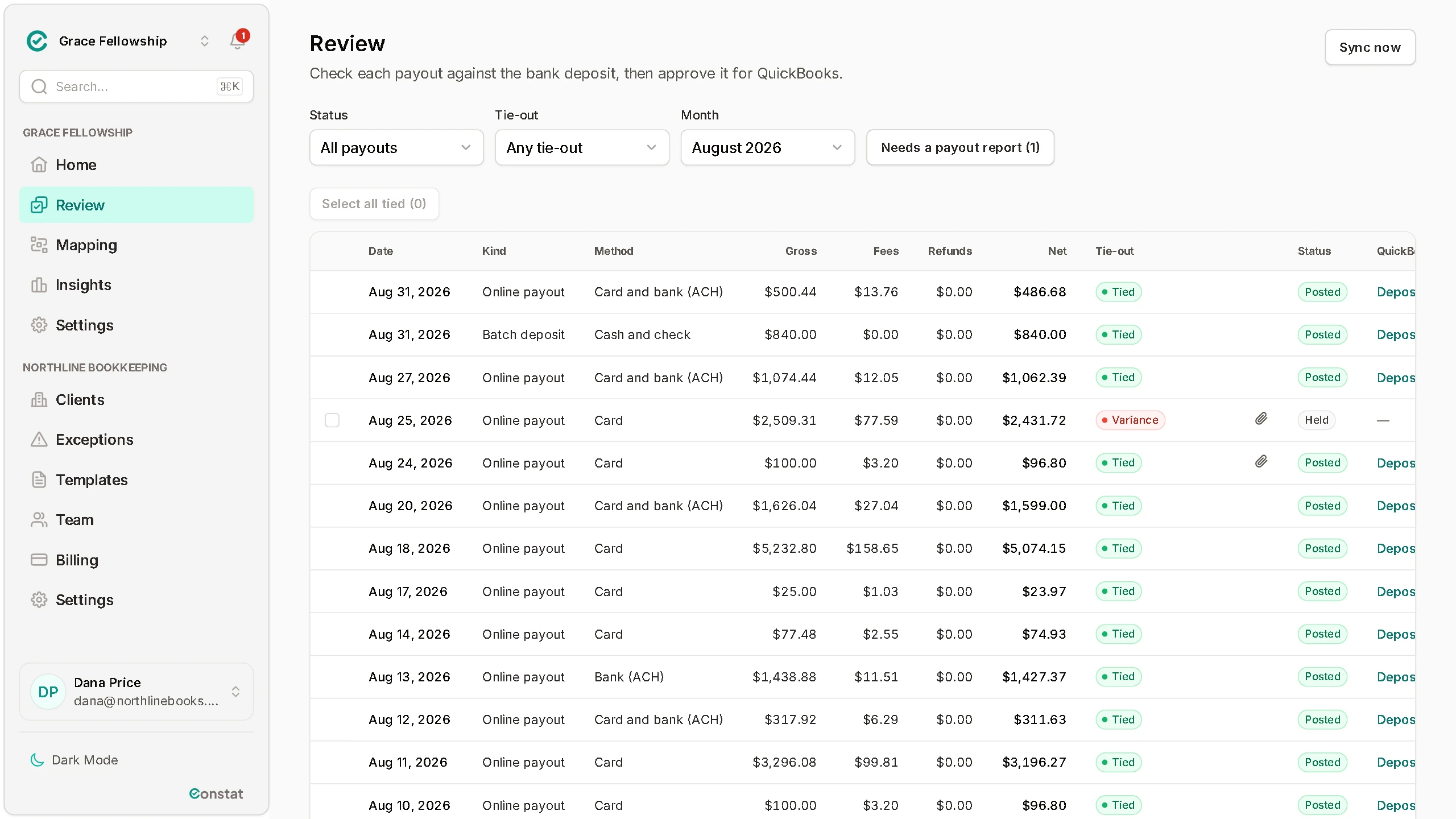
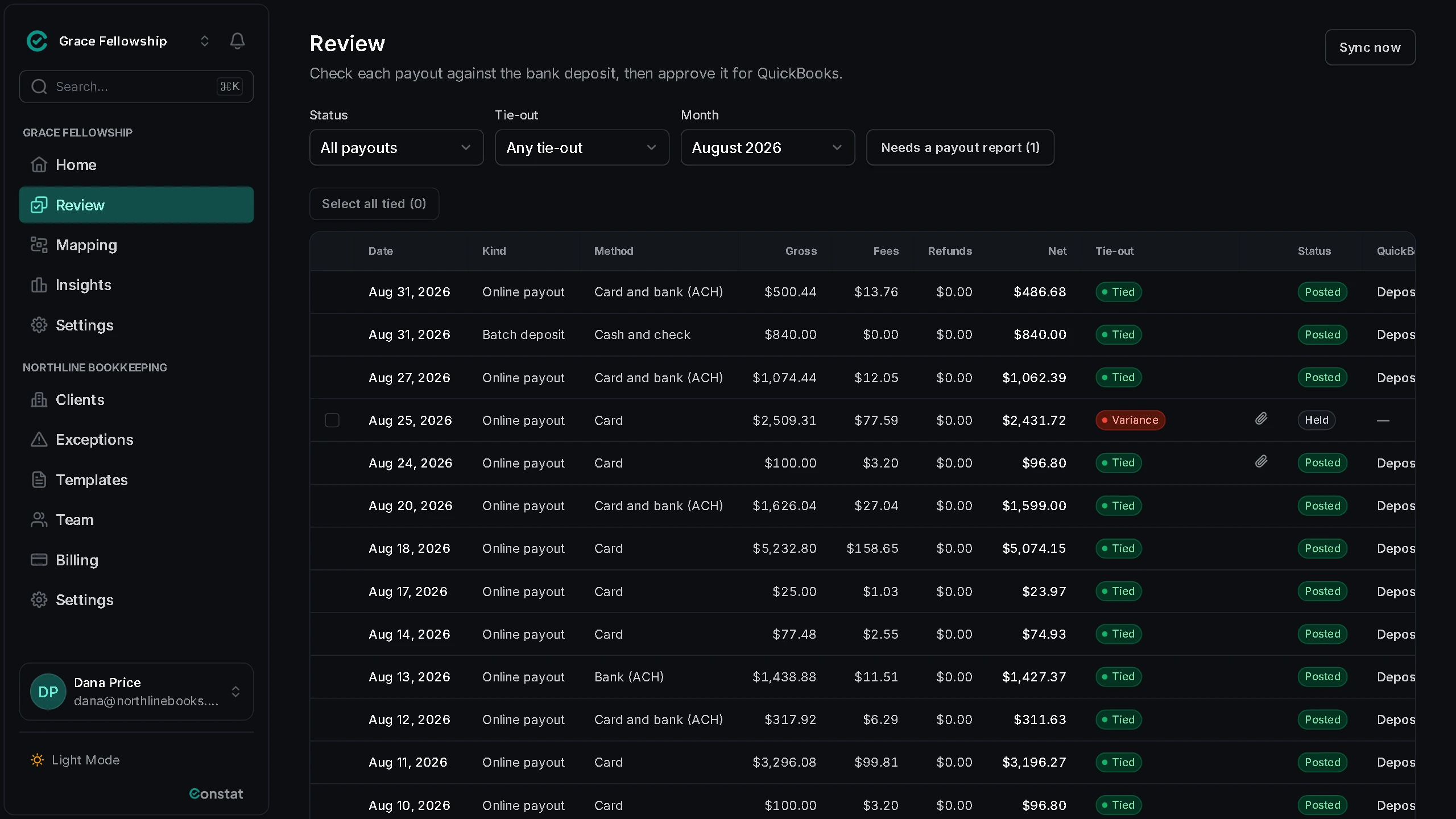
Every night we group your Planning Center gifts into the payouts that hit your bank, then check each one against its payout report, or against the deposit amount you enter from your bank statement.
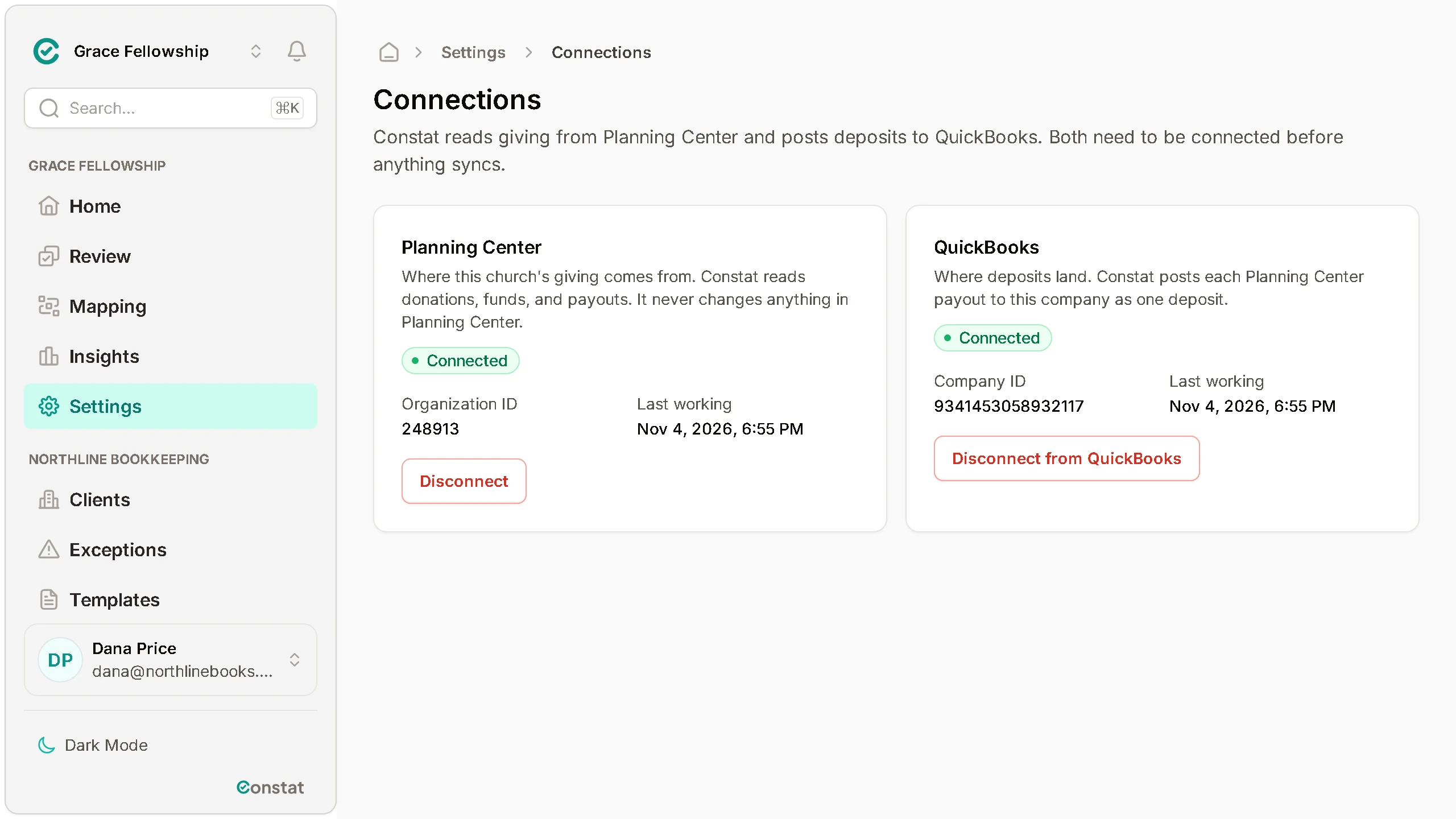
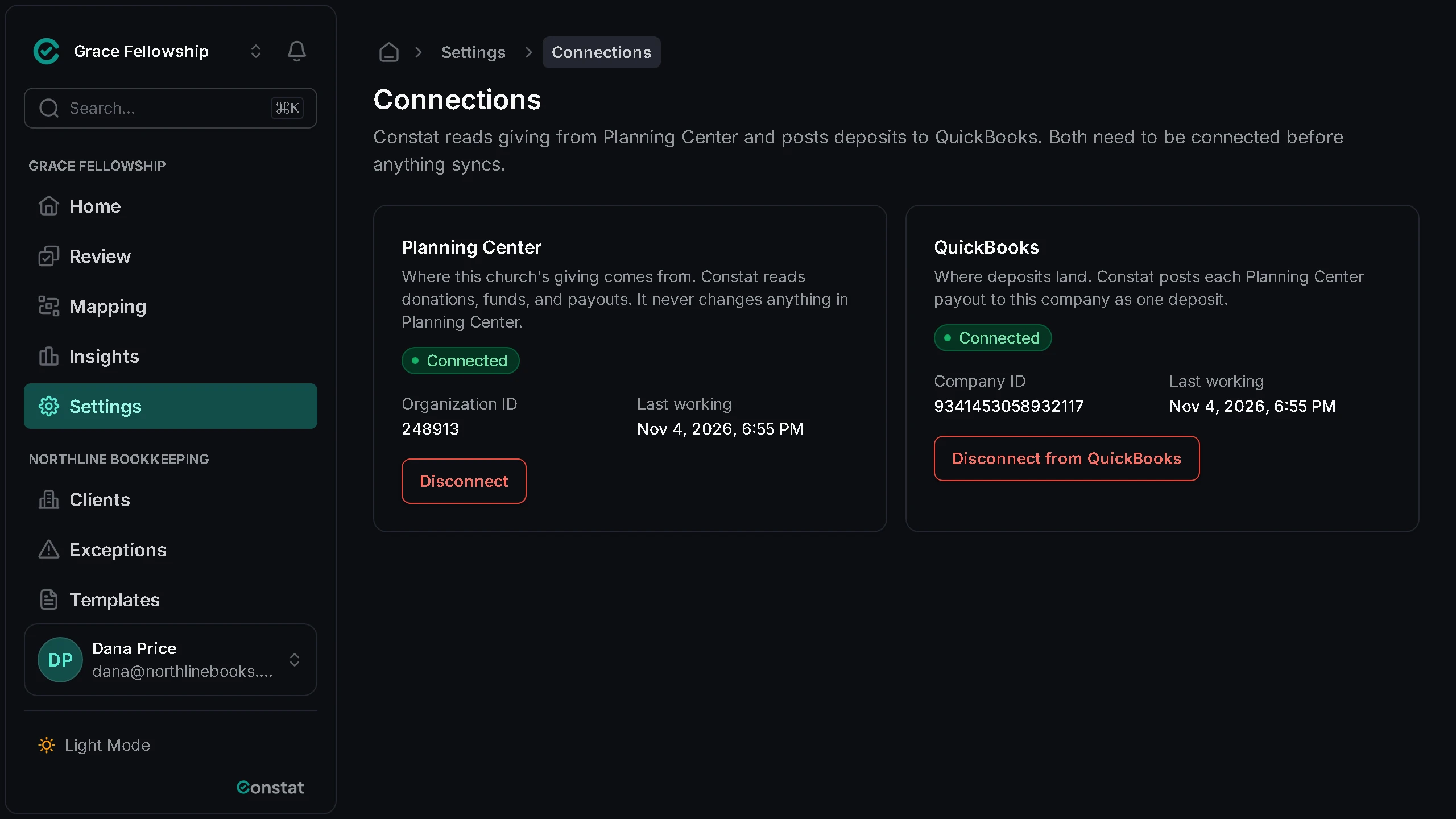
Planning Center access is read-only. Nothing posts to QuickBooks until an approver says so.
Works with
Planning Center Giving to QuickBooks Online.
The problem
Booking giving by hand is slow and easy to get wrong
Month-end by hand
Every month someone exports gifts from Planning Center, adds them up by fund, subtracts the fees and types a deposit into QuickBooks. It takes hours, and one wrong cell throws off the whole month.
A deposit that does not match the bank
Planning Center shows gifts by date, but the bank shows one deposit per payout, net of fees. When the numbers disagree, you go line by line through both reports looking for a refund or a missed gift.
Posting the same payout twice
A payout entered twice, or a gift counted in two deposits, makes income look higher than it is. It usually surfaces at bank reconciliation, weeks later, when nobody remembers which entry to delete.
The solution
Every payout checked before it reaches QuickBooks
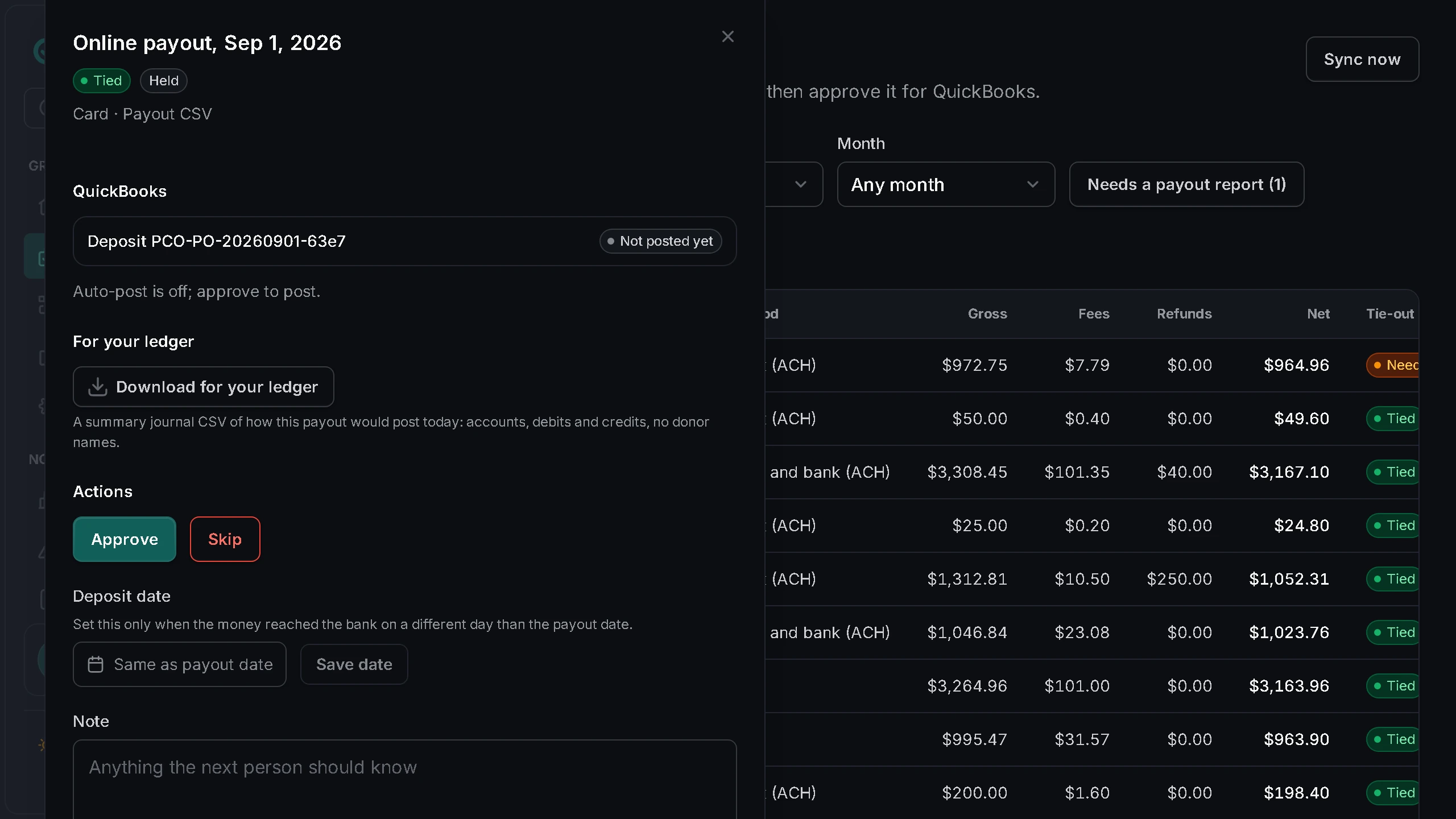
Constat groups your gifts into the deposits your bank sees, checks each one, and posts it only with an approver's go-ahead or an auto-post rule an approver turned on.
Tied to the penny
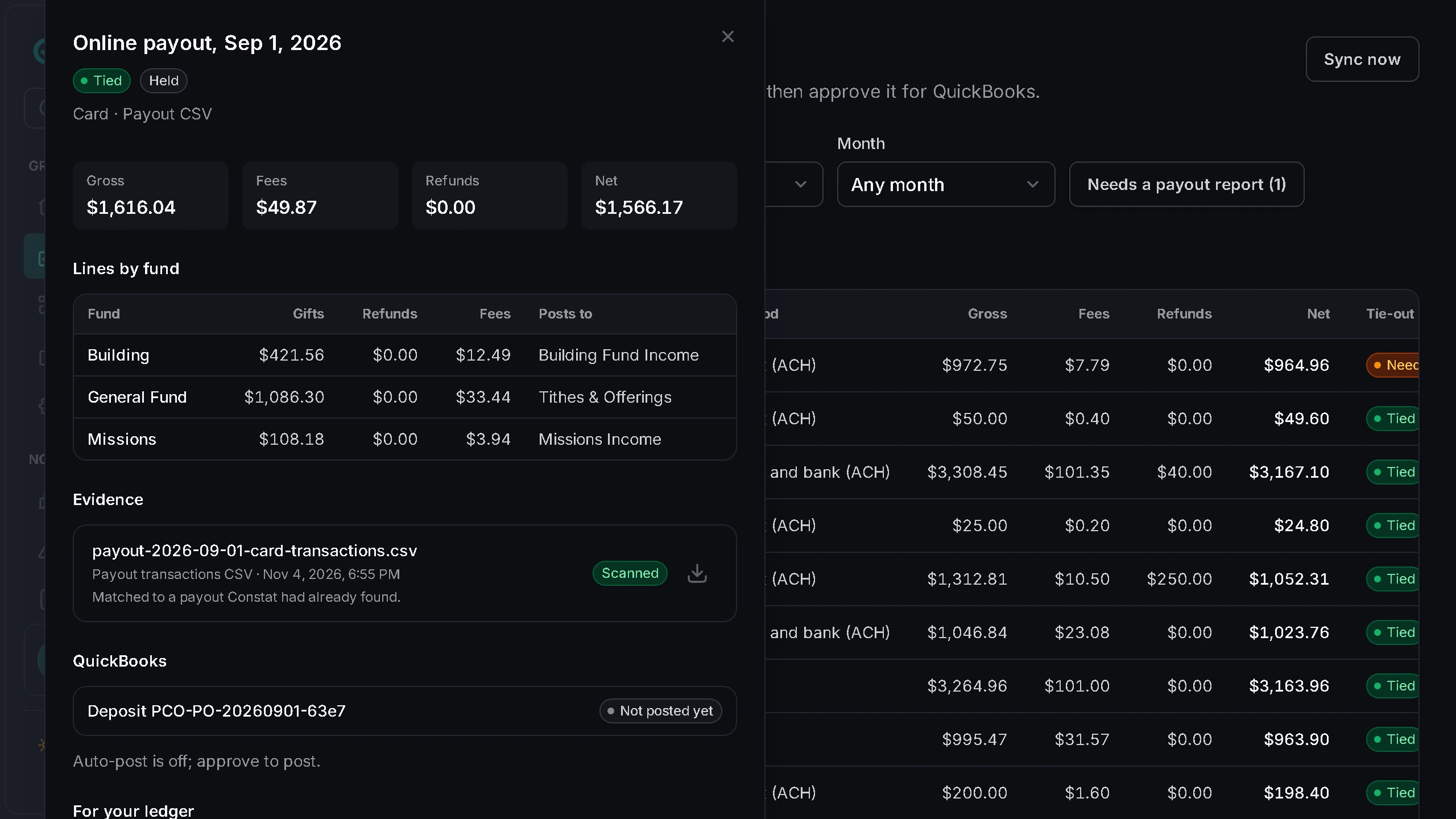
Each payout lists its gifts by fund, the processing fee and the net. It ties only when the net checks out to the cent against its payout report, or against the deposit amount you enter from your bank statement.
Every fund mapped
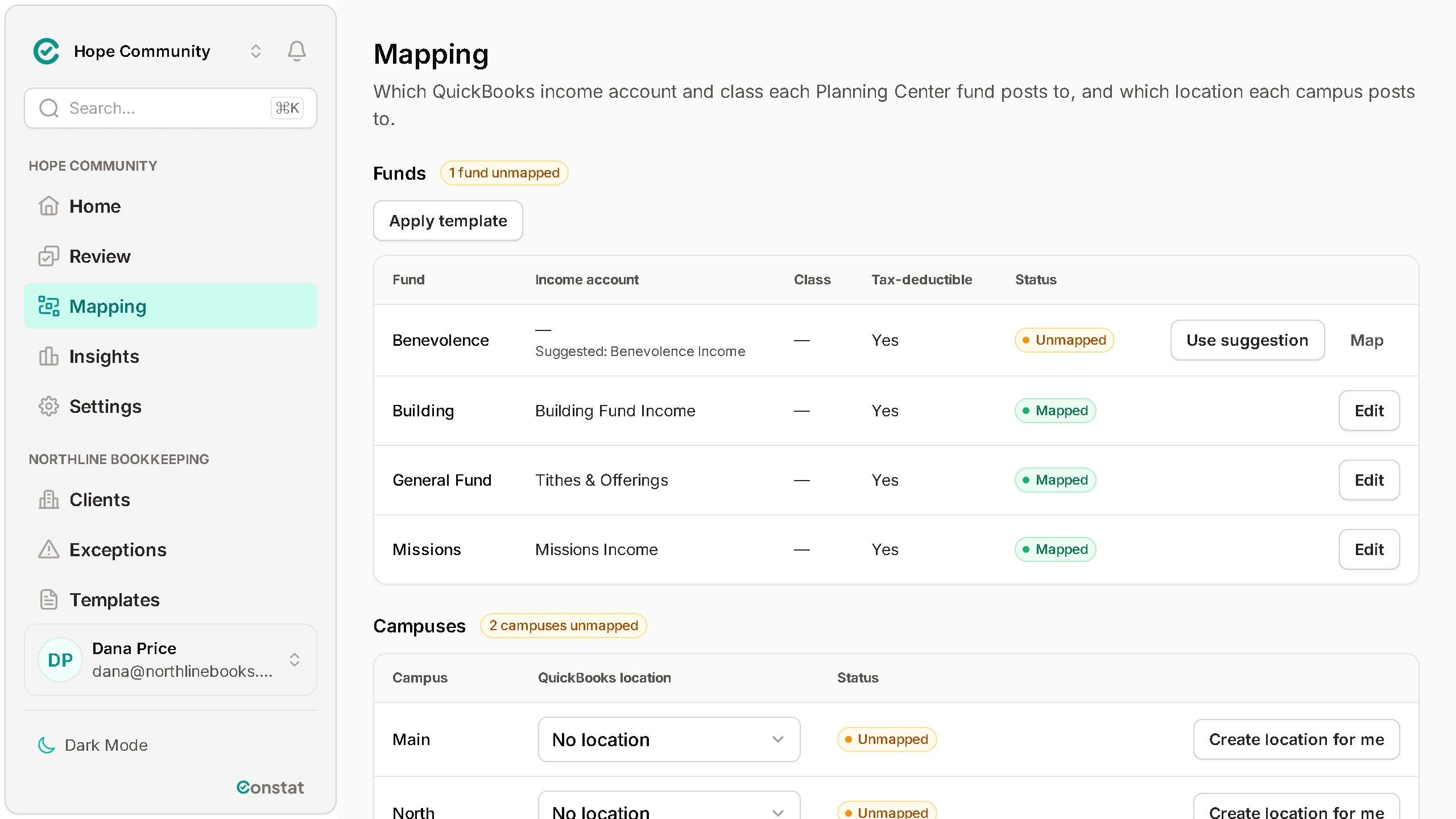
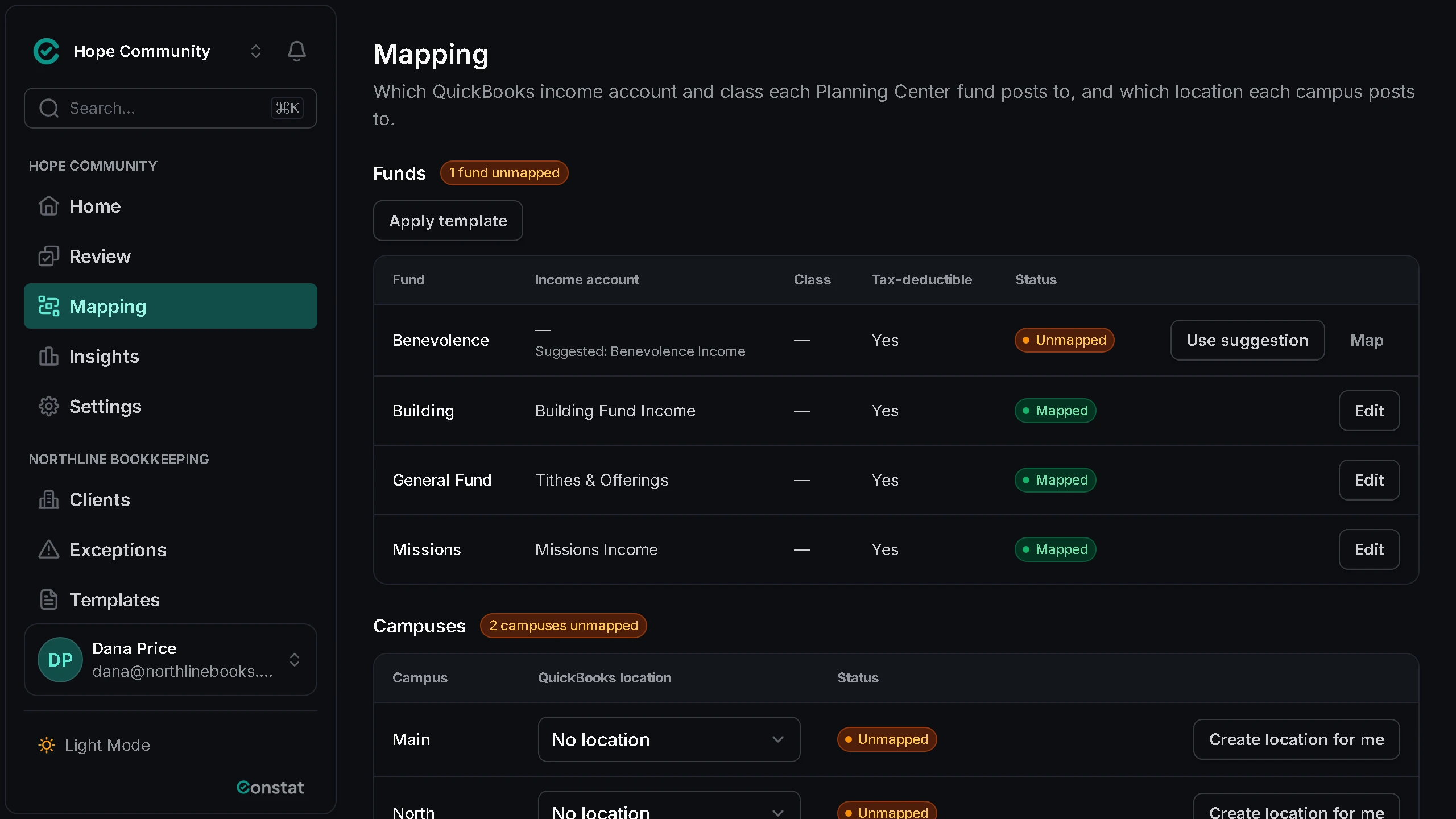
Each Planning Center fund points to the QuickBooks income account it posts to. A fund that is not mapped yet shows as unmapped, and a payout that uses it waits instead of posting to a guess.
Held with the reason
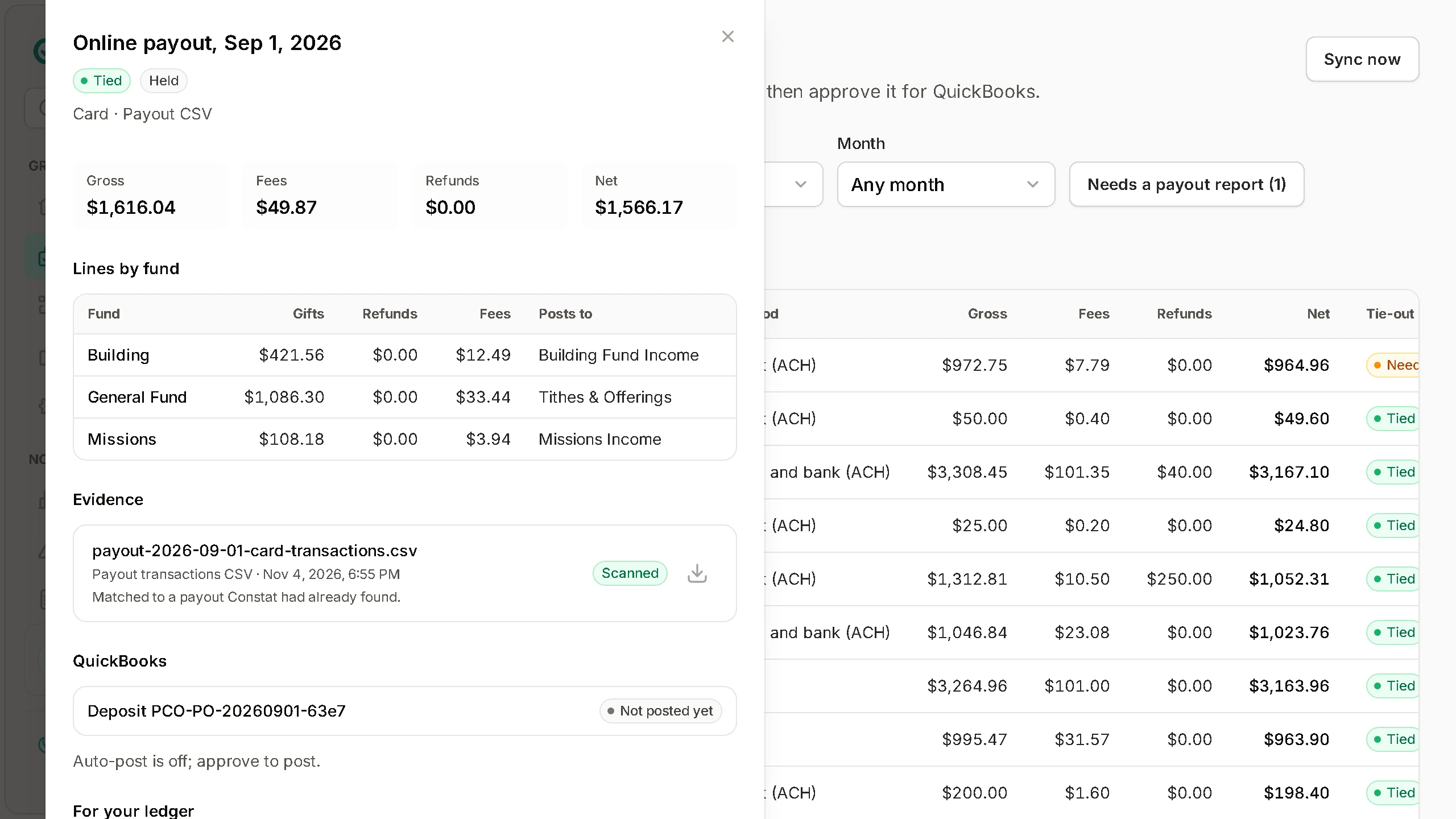
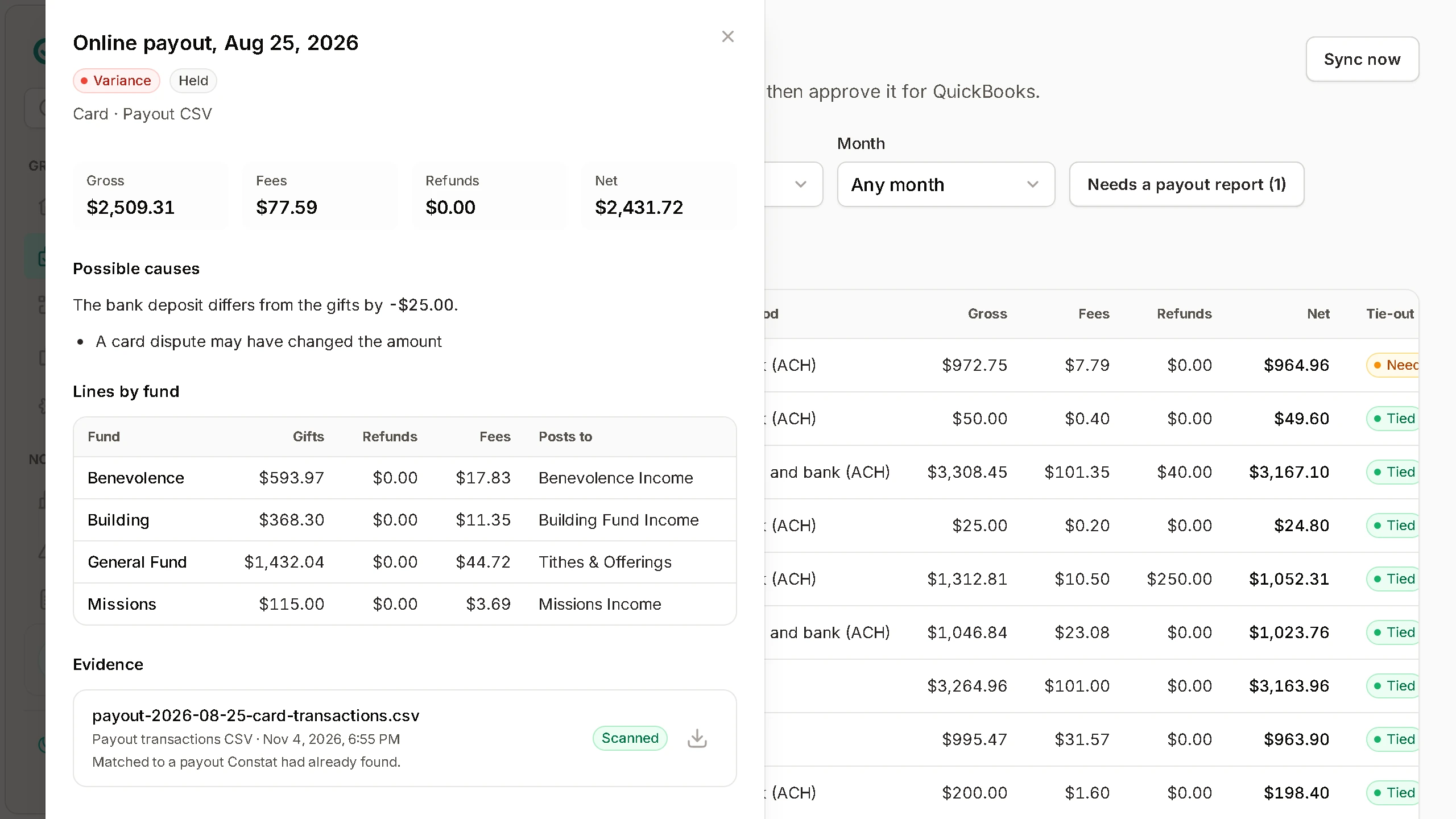
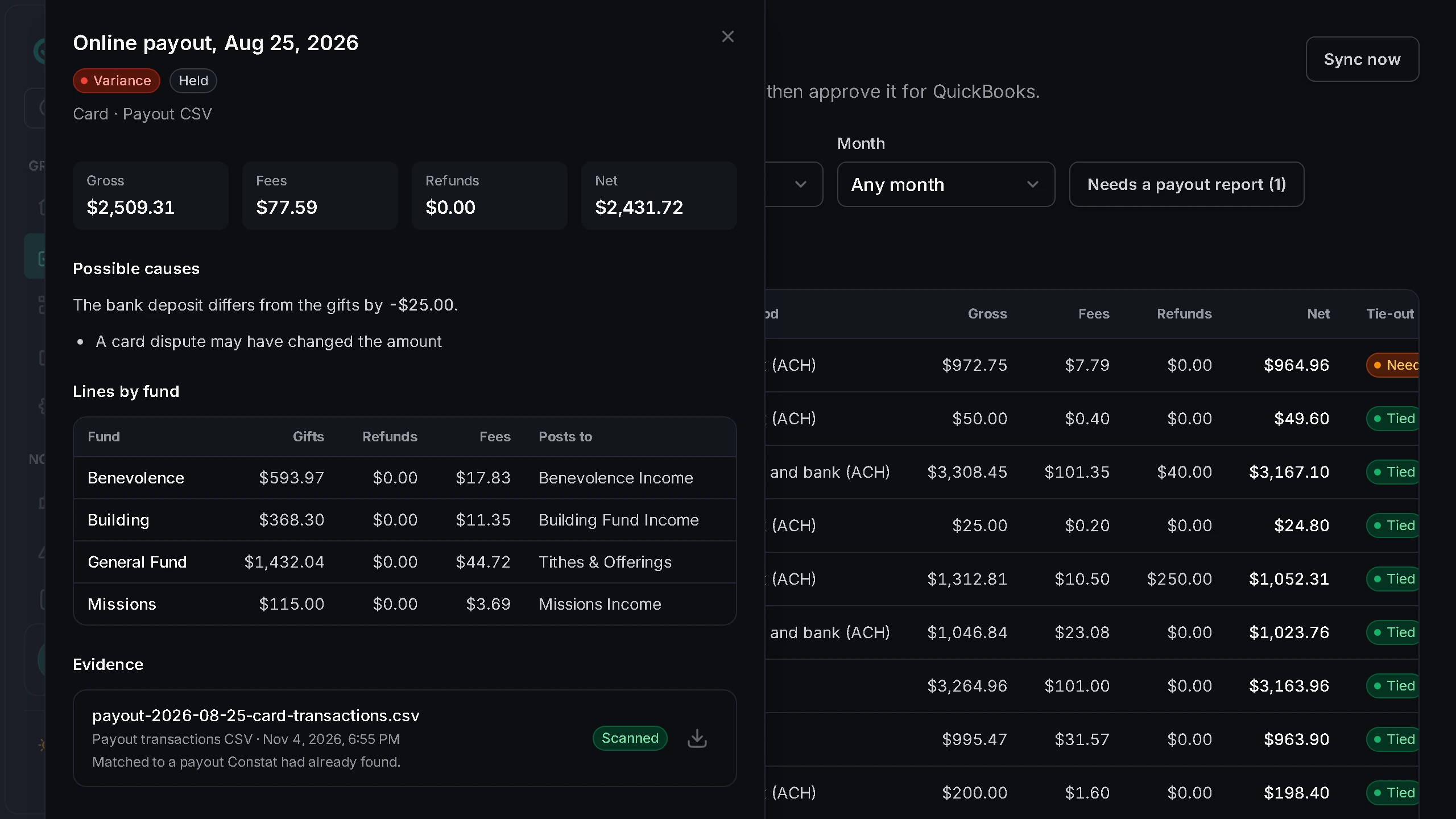
A payout that does not match its bank deposit is held, not posted. You see the difference and the likely cause, such as a card dispute that changed the amount, so you know where to look first.
One deposit per payout
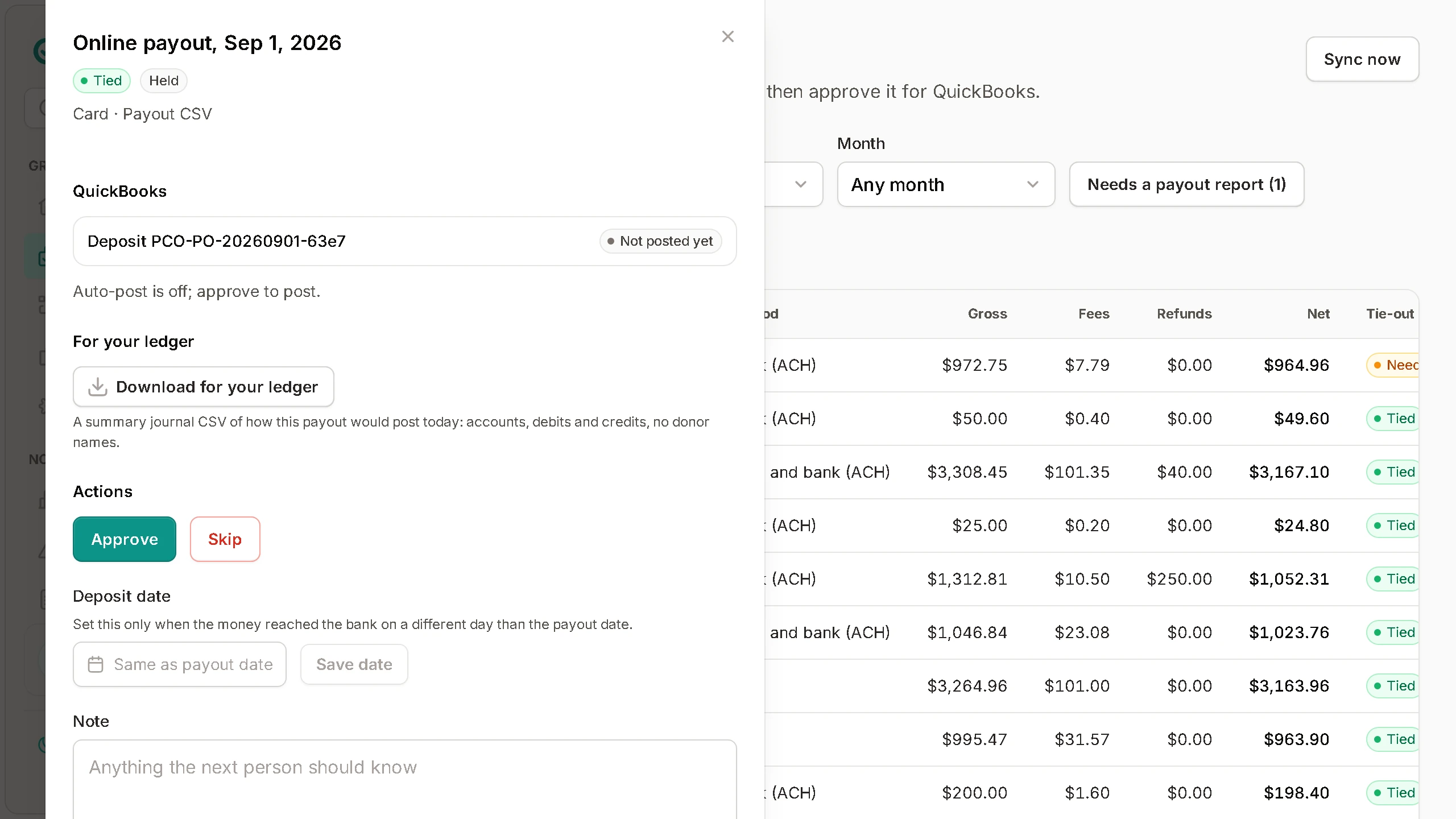
Before anything posts, you see the one QuickBooks deposit the payout will become, named by its DocNumber. You can download it as a ledger file, and nothing posts without an approver's go-ahead or a rule an approver turned on.
How it works
From a gift in Planning Center to a deposit that matches the bank
Set it up once. After that it runs every night.
Features
Built so the books stay right
What lands in QuickBooks
Entries your bank statement agrees with
An example payout with made-up numbers: the gifts by fund, the fees, and the bank deposit it is checked against before it posts.
Example: Stripe payout · Sep 12
38 gifts from Planning Center Giving
- General Fund
- $3,400.00
- Missions
- $912.00
- Building
- $500.00
- Processing fees
- −$141.27
- Deposit to QuickBooks
- $4,670.73
- Bank deposit on the payout report
- $4,670.73
Difference $0.00. Waiting for an approver before it posts.
A Deposit per payout
Each payout becomes one QuickBooks Deposit, with a line per fund on the income account and class you mapped and the processing fees on your fee account. Its document number comes from the payout, so it never posts twice.
A month report that ties
The month's reconciliation report lists every payout and batch deposit with its status, tie-out and QuickBooks document number, totals gross, fees and net, and marks anything not posted or not tied. Print it for the finance committee.
See a sample month report (PDF)Pricing
Simple per-church pricing
30 days free, no card. Nothing is charged until you add a payment method and your trial ends.
Church
For a church that keeps its own books.
$29per church, per month
- One Planning Center account and one QuickBooks company
- One QuickBooks deposit per payout, lines by fund
- A sync report by email
Bookkeeping firm
For a firm that keeps the books for many churches, with every client church in one place.
$15per church, per month
$12 from 25 churches, $9 from 100. 5-church minimum, $75 a month.
- Everything in Church, for each client church
- Invite each church to connect its own Planning Center and QuickBooks
- Staff access as owner, approver, reviewer or viewer
Every plan includes
- Nightly sync from Planning Center
- Tie-out on every payout
- Approval before anything posts
- Posting to QuickBooks Online
- The month-end reconciliation report
- Email support
Founding pilot: the first 10 firms or churches get 90 days free and a direct line to the founder.
Every account gets the 30-day trial. The pilot is a separate, longer offer for the first 10 firms or churches.
Ask about the pilotFAQ
Questions treasurers ask
Still have questions?
Talk to us, or email [email protected].
Get started
See your next payout tie out before it posts
Connect Planning Center and QuickBooks, map your funds, and review the payouts Constat finds. 30 days free, no card.